> ## Documentation Index
> Fetch the complete documentation index at: https://pulze.ai/docs/llms.txt
> Use this file to discover all available pages before exploring further.
# Flowz
# Getting Started with Flowz
## Introduction
Flowz is designed to automate processes by chaining different applications together. Each app performs a specific task, and the workflow manages the flow of data between apps. We aim to enhance this tool by incorporating decision logic at each step, allowing for dynamic routing based on the content of the payload.
### What can it do?
In combination with [Prompts](https://docs.pulze.ai/features/prompts), Flowz can help the user connect and filter data through different apps, each app might have different prompts, selected models that are better for certain tasks and other functionalities we might add in the future.
Every app runs individually therefore if an app inside a Flowz contains a Flowz itself, this will be executed too.
### Example
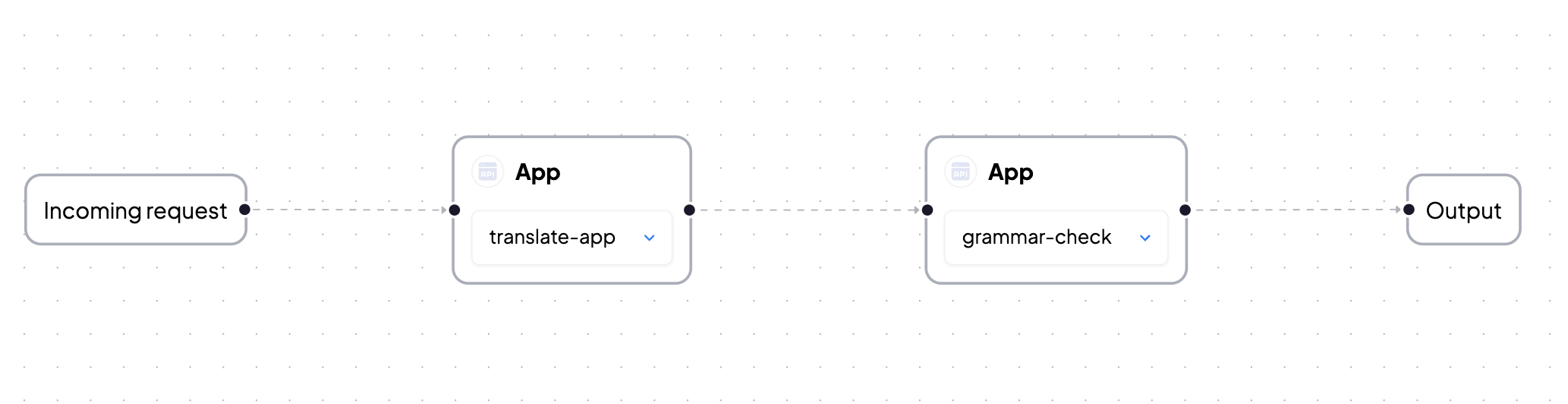
`translator`: We want to create a `Flowz` to parse through our request in order to first translate it, then perform a grammar-check and finally enhance the output. How would this look like?
We create an app named `translator` where we will define the flowz and we add a prompt to enhance the text from the final output. The app uses a prompt similar to `Translate to French: {{prompt}}`
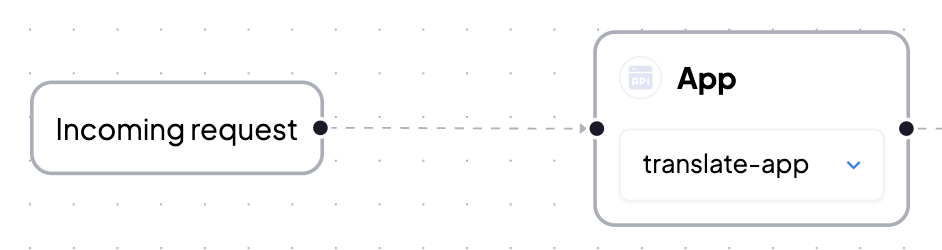
This will initiate the process in the Flowz diagram.
Connect this node to the `translate-app` for initial language translation. (This app will have a prompt associated and could have specific models selected).
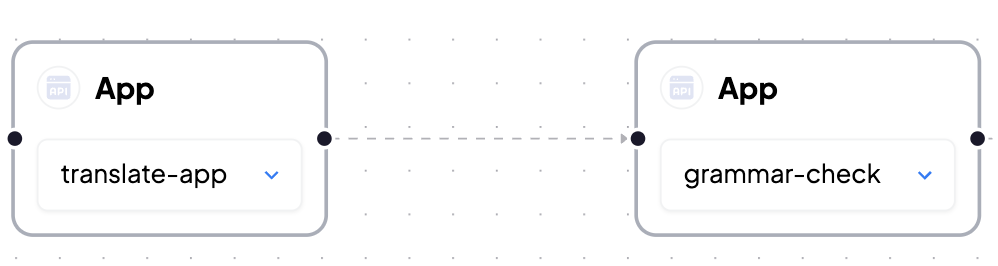
Connect the output of the prior app to the `grammar-check` app.
The app `translator` itself will execute last with the output and then will return it to the user.